
Western Union Cash Pickup: Easy Guide

Western Union cash pickup should be a smooth experience. The process involves presenting the proper ID to verify your identity and to retain your MTCN. This guide shows what to bring, the exact steps at the counter, and the quickest ways to confirm a transfer.
Keep Takeaways
- Share the MTCN securely and make sure the receiver’s ID matches the transfer exactly.
- Verify the transfer status and the correct pickup city in the Western Union app before anyone travels.
- Follow the counter steps and security tips to avoid holds, errors, and scams.
Requirements for a Western Union Cash Pickup
When you’re sending cash to someone in the Philippines, set them up for a smooth pickup. Confirm status with the MTCN, align their ID with the transfer, and choose an agent that can pay the right currency.
What Is the MTCN
The Money Transfer Control Number is a unique 10-digit code that tracks your money. You’ll find it in the app, email, or receipt after payment. The MTCN is what you will need to give the recipient so they can receive the money from their end.
Bring Valid ID That Matches Your Name
Inform your receiver that Western Union cash pickup requires an ID that matches the exact name on the transfer. Ask them to bring one of the following accepted Philippine IDs:
- PhilSys ID (PhilID)
- Philippine Passport
- Driver’s License (LTO)
- UMID Card (SSS or GSIS)
- Postal ID (PhilPost)
- PRC Professional ID
- Senior Citizen ID
- ACR I-Card (for foreign residents)
Security And Privacy Basics
Western Union cash pickups tend to result in money loss due to fraud or various mistakes. Note the following advice so your money reaches the intended receiver in the Phillipines.
- Keep the MTCN private. Share it only with your receiver and the teller when asked.
- Ensure the teller is an actual Western Union agent and not someone pretending to be one. Look for visible credentials and a live terminal.
- Use the official app or website on mobile data to track status. Avoid public Wi-Fi when viewing the MTCN or ID photos. If necessary, use a VPN before connecting to a public Wi-Fi network.
- Send only the necessary details for pickup. Wester Union cash pickup processes does not require additional documents or IDs from your end unless an agent asks for it.
- Tell your receiver to decline unsolicited help inside or outside the branch. Scammers often pose as “assistants” who offer to fill out forms. Advice them to ask for credentials.
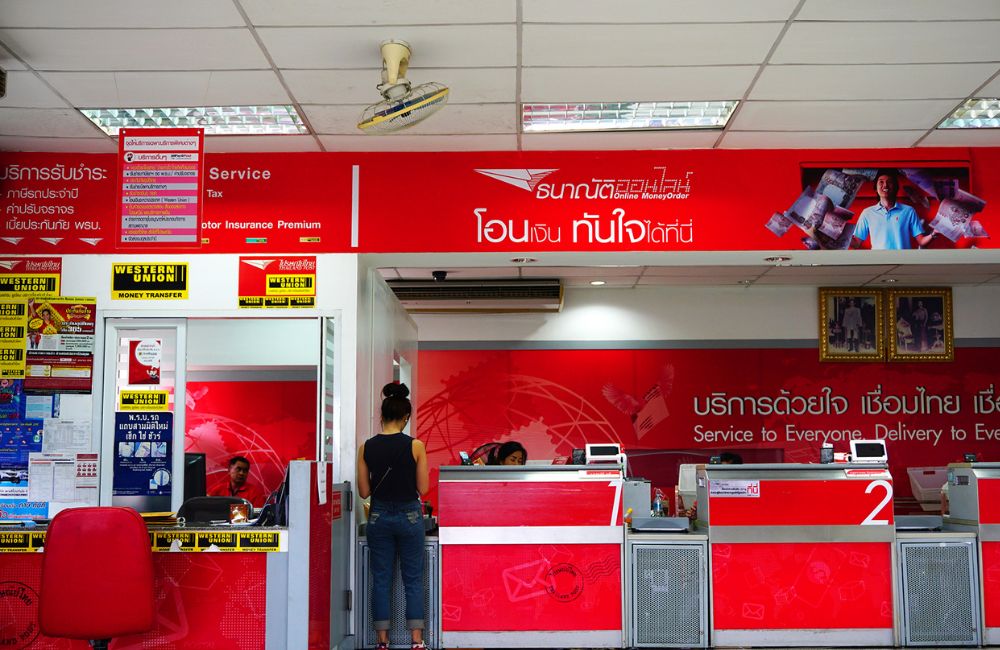
Step-By-Step Pickup at an Agent
Share these simple directions with your recipient so pickup feels quick and stress-free. A little prep now saves repeat trips and counterside fixes later.
- Have your receiver visit a Western Union office near their location. Ensure they have the correct MTCN and a valid ID.
- Have them complete the ‘Receive Money’ form or use the in-store kiosk, if available. Enter the full name exactly as it appears on their valid ID.
- Tell them to present their ID and the MTCN to the teller. Be prepared to confirm your full name, the country of origin, and the expected amount.
- If the teller requests it for higher amounts, provide a second ID. Their IDs need to have all details match like their full name.
- Have them check the payout currency on the screen.
- Sign the receipt when prompted. Ensure their signature matches the one on their identification.
- Receive the cash and count it quietly at the counter. Request an envelope or pouch before leaving.
- Request the official receipt and, if permitted, a photocopy or a clear photo taken with a phone for your records. Keep it until everything checks out.
Related: How to Use Panda Remit
Common Issues
Initiating a Western Union cash pickup should be a simple process. However, you may encounter certain problems with the service.
Why Is My Western Union Cash Pickup On Hold
The status “On Hold” indicates that your payout is paused due to checks or a mismatch. Do not be alarmed since this usually happens when the information does not match your credentials like the city. This status ensures your money will not be in the hands of the wrong person.
Always check on the app or receipt that the receiver’s details are correct, like their full name. If you spot an error, ask your Western Union office to correct the name or follow a resend procedure that cancels the original transaction.
Allow time for updates to propagate across agent systems. Wait for the app or an SMS to show “Available for Pickup” before your receiver visits a branch. If the status still hasn’t cleared after you’ve fixed details, contact customer support. Keep the MTCN private and use authorized agents only.
What If I Lose the MTCN
First, do not panic. Your MTCN is recorded and can be seen in different locations. You can find it in your email or SMS if you filled out the form to send the receipt to both. The Western Union app will also record your MTCN.
ID Type Not Accepted at the Agent
Agent acceptance rules vary by branch. If the teller declines your ID, present a second valid ID and check that the name and signature match exactly. Expired cards and damaged prints often fail verification. Try a different authorized branch that supports your ID type. You can always check with the official agent why they cannot accept your IDs.
Wrong Pickup City or Country
Pickup must happen in the city and country chosen by the sender. If the transfer lists the wrong location, ask the sender to request a correction or cancel and resend with the proper Philippine city. System updates can take some time to be reflected across all agents, so please wait for the “Available for Pickup” status before visiting. Confirm the payout currency as PHP or USD at your chosen branch to avoid any unexpected conversion fees.
Conclusion
Western Union cash pickup goes smoothly when you confirm the transfer, bring a matching ID, and know the pickup location’s hours. Keep the MTCN private, verify details at the counter, and count cash discreetly. The receiver will have the cash as long as all the details are correct and they have a valid ID.
